← Back to Blog
TutorialBeginnerNo-Code
Build Your First App in 10 Minutes
You don't need to know Java, Kotlin, or React Native. With Codular, you can build a complete Android app using just drag-and-drop and AI.
Step 1: Create a Project
- Go to mobcraft.in and sign up
- Click "New Project"
- Give your app a name
Step 2: Use AI to Generate Your App
Open the AI Assistant (chat icon) and describe your app:
"Build a todo list app with add, delete, and mark complete features"
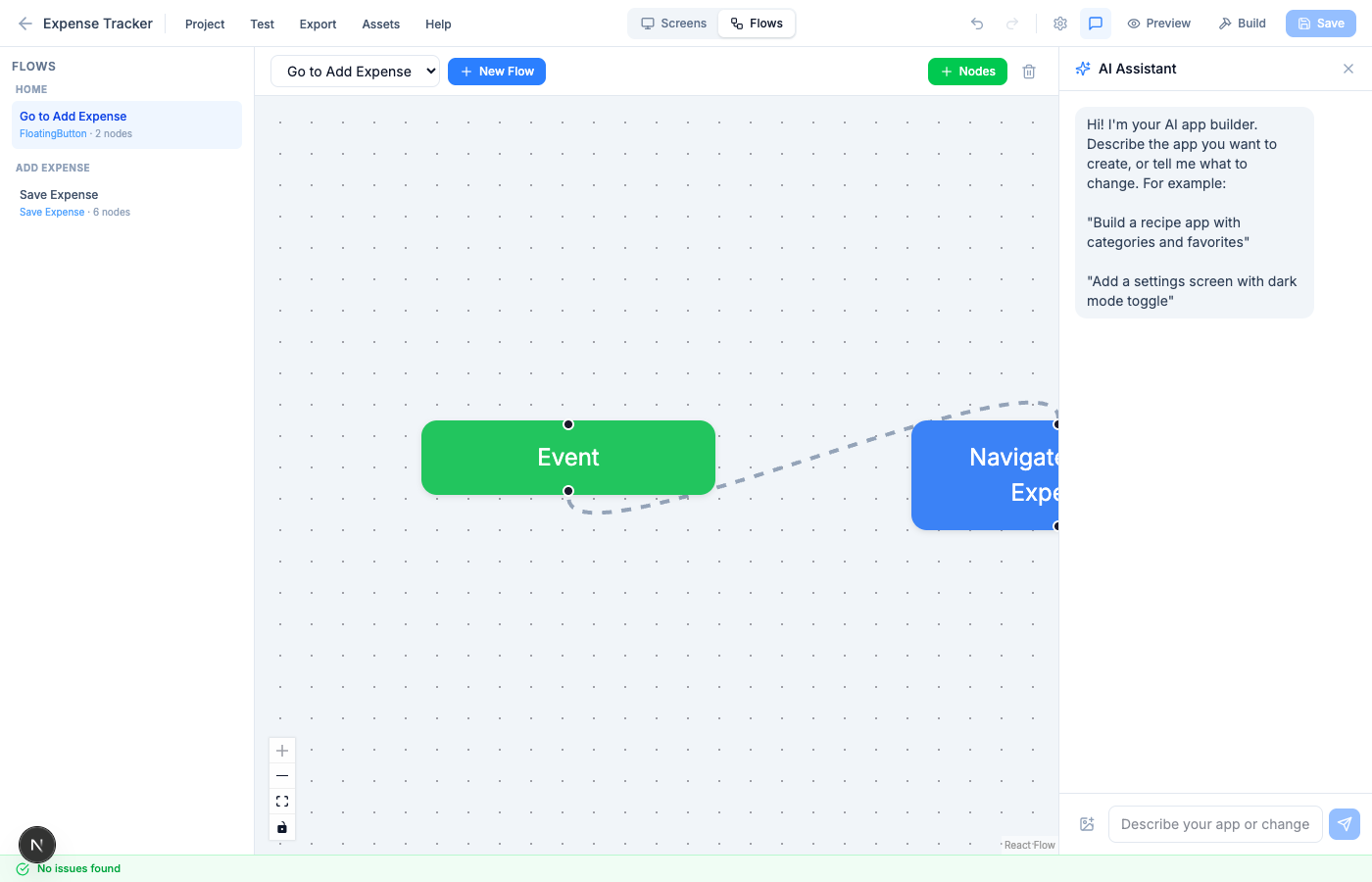
The AI will generate:
- Multiple screens (Home, Add Task)
- Components (text, list, buttons, inputs)
- Variables (todo list array)
- Flows (add task, delete task, navigate)
Step 3: Customize the Design
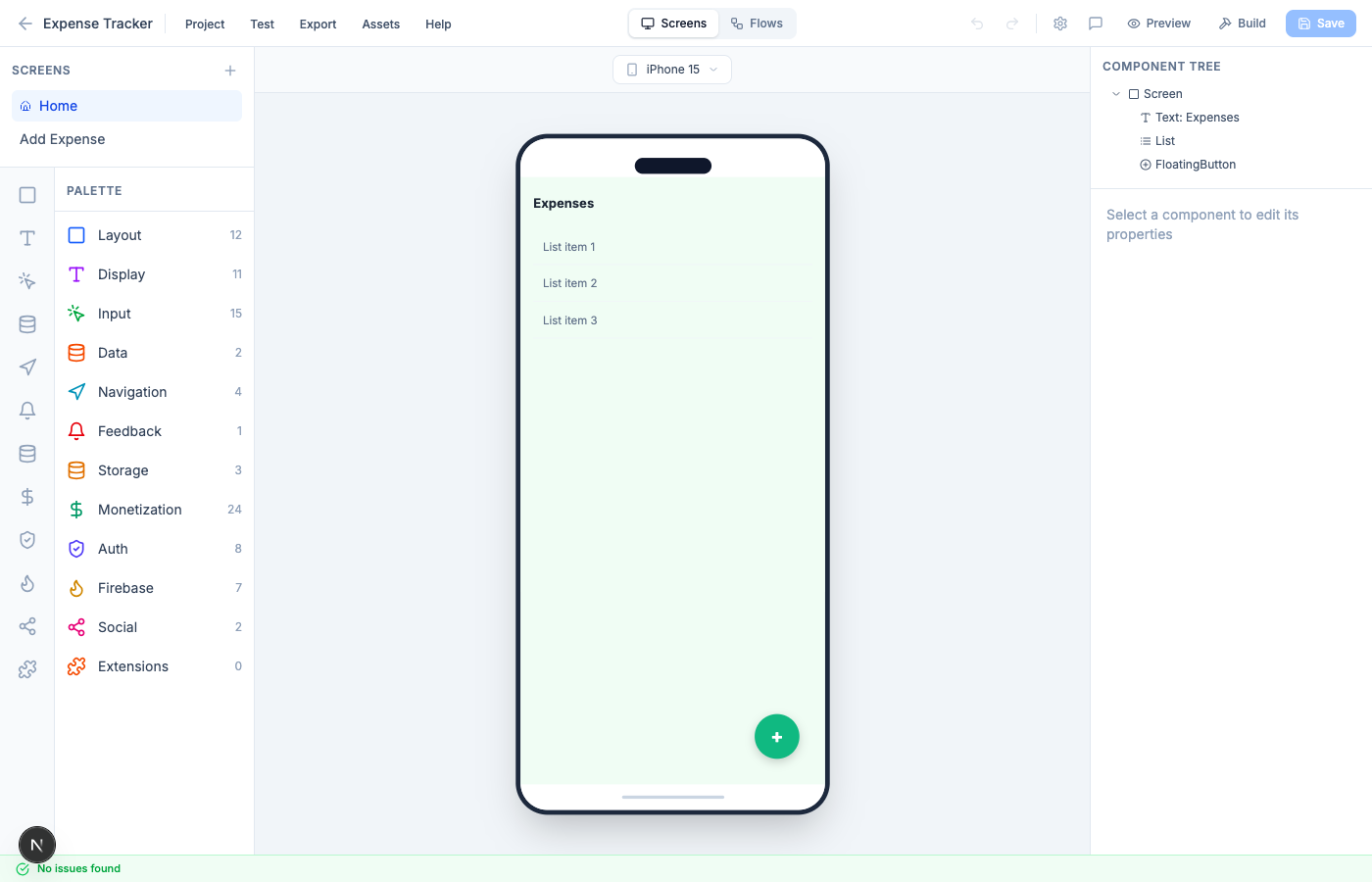
- Click any component to edit its properties
- Change colors, text, sizes in the right panel
- Drag new components from the left palette
- Rearrange the component tree
Step 4: Add Logic with Flows
Switch to the Flows tab to see your app logic:
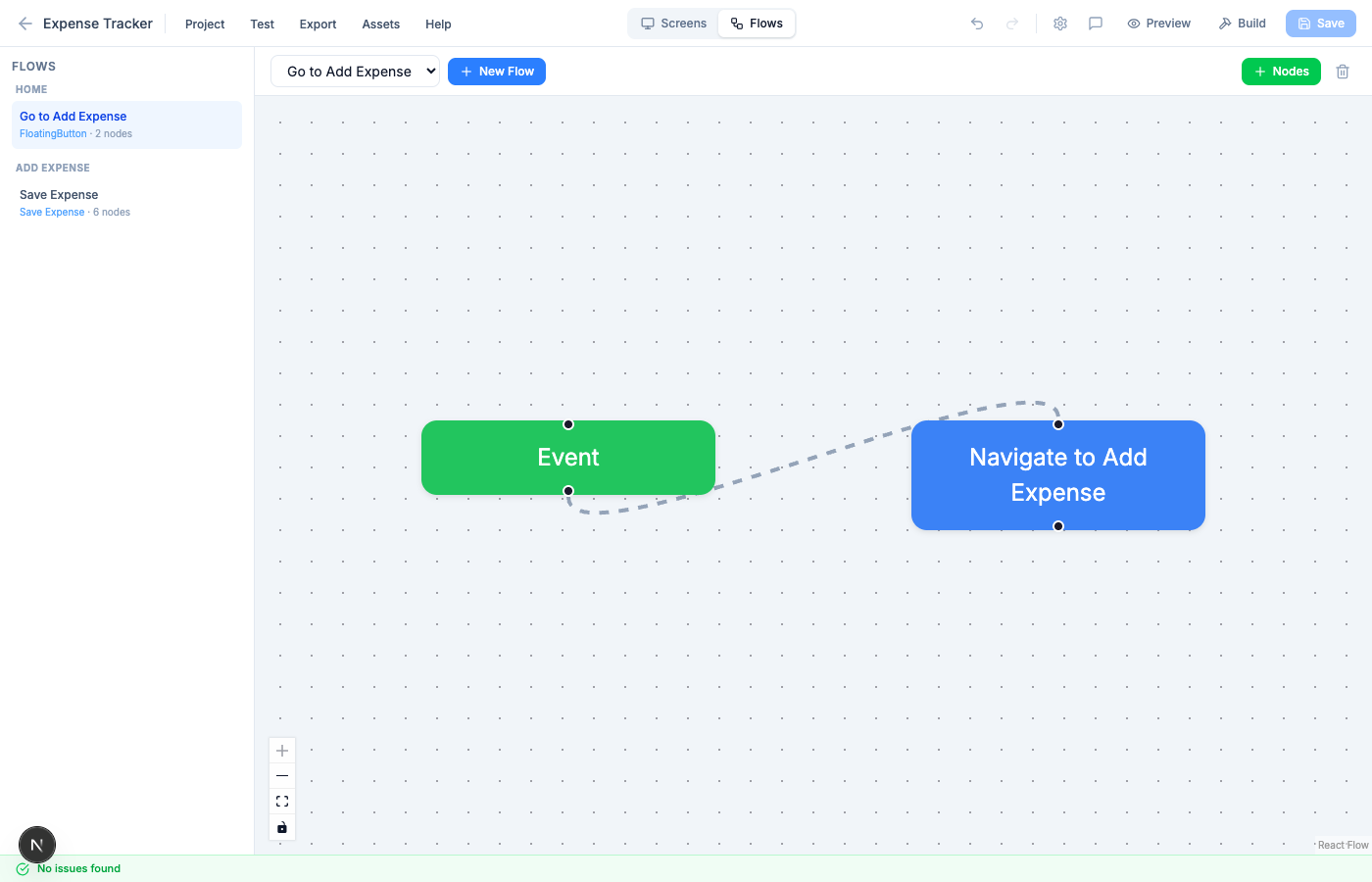
- Green nodes = Event triggers (button press)
- Blue nodes = Navigate between screens
- Purple nodes = Set/modify variables
- Red nodes = Show alerts
Connect nodes to create logic chains.
Step 5: Test Your App
Click Preview to test in browser, or use Companion to test on your phone by scanning a QR code.
Step 6: Build & Download
Click Build > Android APK and wait for the build to complete. Download the APK and install it on your phone!
Tips for Beginners
- Start simple - build a counter app first
- Use AI to generate the base, then customize
- Test frequently with Preview
- Use the flow editor's Info button (i) to learn what each node does
- Check the Community for templates and inspiration
C
Codular Team
Building the future of no-code app development